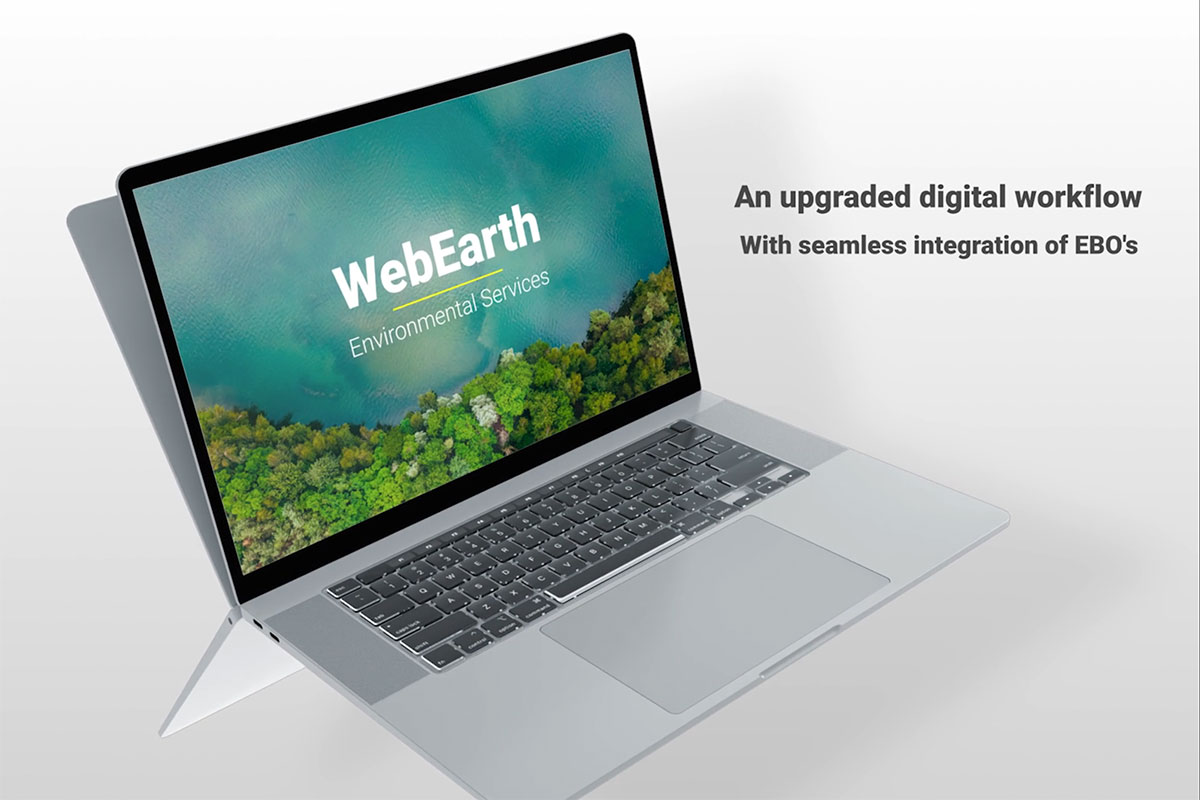
Improved Digital Workflow
From ECOCs to EBOs and digital exports, WebEARTH is now enhanced for new ways of working with your samples — fully digital on your computer web browser.
Shaped by Client Feedback
Have an input into new features and efficiency enhancements as we use client feedback to guide our iterative process of development.


Continuous Updates & Support
Get access to new features as they become available. Our long-term roadmap includes client-requested features such as test templates, API invoicing, and the ability to upload current spreadsheet COCs. See below for the latest updates coming soon to WebEARTH.
WebEARTH Features Roadmap
See what’s coming to WebEARTH in the future and explore features already launched.
Export sample analysis results, sample integrity reports (SIRs), and more to a PDF, custom CSV file, or another spreadsheet file format for easy offline viewing and documentation.
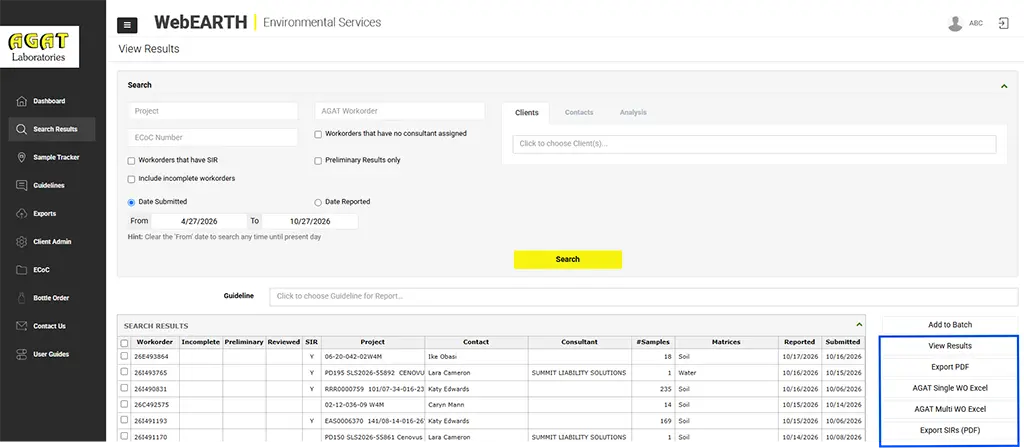
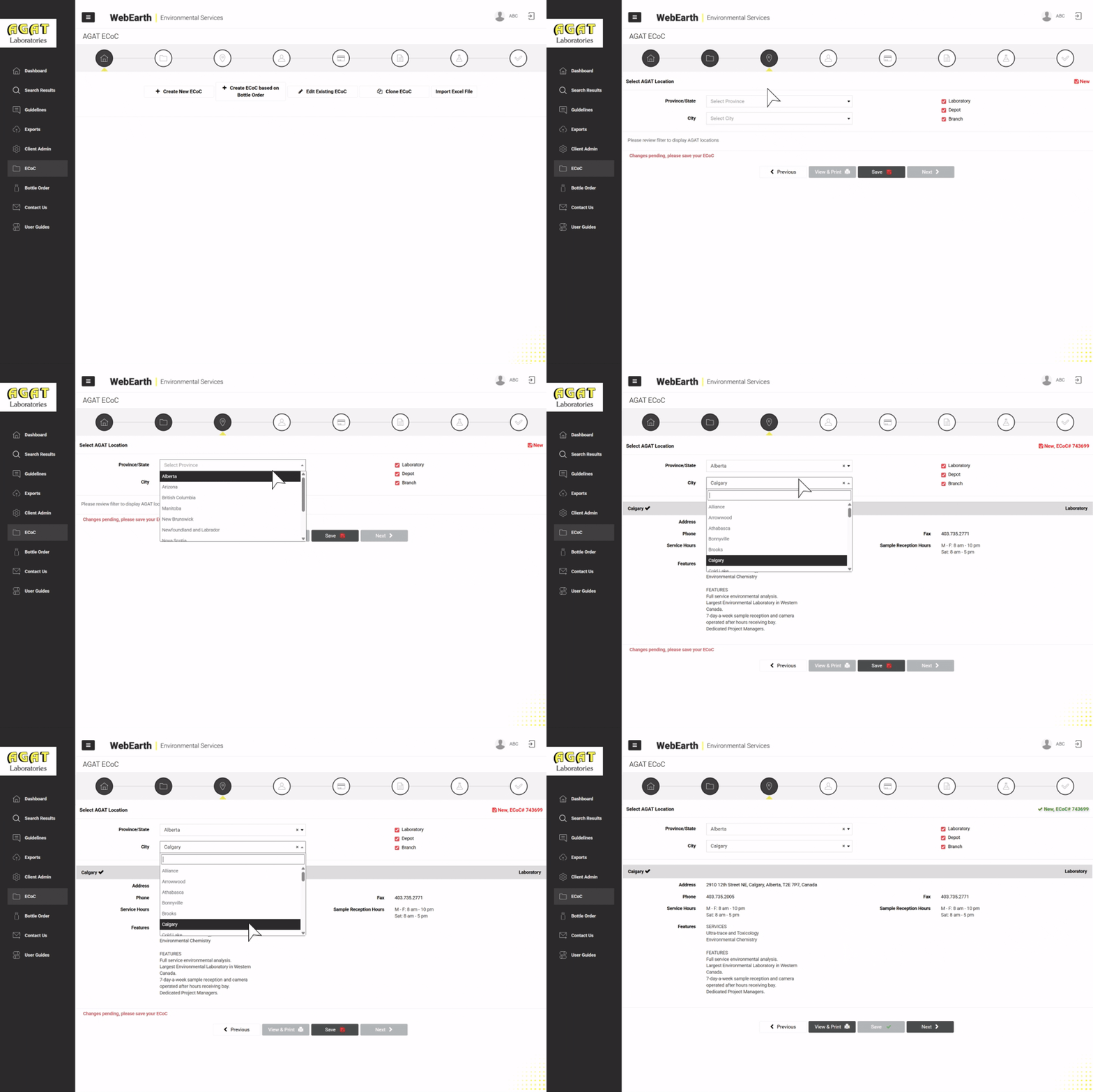
Launched May 2026. Submit electronic Chain of Custody forms and get immediate email notifications for tracking samples. Designed for simple submission, tracking, and management of samples.
Launched June 2026. Manage sample bottle requests from order through to delivery. Easily switch between ECOCs and EBOs to improve project workflows from preparation to execution.
Launched October 2026. Follow your samples from delivery to results with real time updates. Stay informed on expected dates of completion and request changes easily within the tool.

Coming 2027. Log in with unique credentials for each member of your team. Improve security and traceability across teams where multiple members have access to make changes to sample submissions.
Everything You Need to Know
Explore frequently asked questions for getting started, tips on how to use the new digital workflow, and troubleshooting advice for any challenges you’re having.
Use ECOC to submit your project, sample details, and requested analyses to AGAT before dropping off or shipping samples.
Use EBO to request bottles, preservatives, coolers, custody seals, and other supplies before sampling.
Not always.
If you already have bottles/supplies, you may only need an ECOC.
If you need supplies, submit an EBO.
Many programs use both (EBO for supply requests + ECOC for submission).
Yes. Create ECOC Based on Bottle Order pre-populates analyses and container requirements from your EBO.
Where enabled, yes. This aligns bottle/supply preparation with confirmed testing requirements from the ECOC.
At minimum, you’ll need:
- AGAT location selection
- Client Project #
- At least one analysis
- Sample IDs and sampling details (as applicable)
- Acceptance of Terms & Conditions at submission
The selected location determines available matrices, test packages, and regional options, and routes notifications to the correct AGAT team.
Yes. You can save progress and return later before submitting.
Edits are only possible if the ECOC status still allows changes. If it has been submitted into internal processing, contact AGAT to request updates.
Yes. Clone ECOC copies key submission information so you can update only what changed (ideal for routine monitoring).
Use Import Excel File to upload sample and analysis information using the approved template. The system validates the data and populates the ECOC.
They are linked to AGAT’s sampling requirements for the selected analysis to support method compliance and reduce errors.
A red highlight indicates a non-conformance warning (your selected containers/preservatives/quantities don’t match standard requirements). This may result in:
- Qualification/disclaimer on results (COA)
- Possible resampling if requirements aren’t met
Available analyses depend on:
- Selected lab location
- Selected matrix
If the testing is performed in a different region, use All Analysis (where available).
Select Bottle Filtered if filtration was completed in the field prior to submission for that analysis.
TAT starts when samples are received at the lab. One TAT applies to the entire ECOC.
Submit separate ECOCs for different TAT requirements.
Yes. Add multiple report distribution contacts for COAs and sample receipt notifications.
You can select common COA format options (e.g., single vs multiple samples per page). Custom exports may be available if configured.
If applicable:
- SO/MSA Number (must match AGAT records)
- PO Number
- Quote Number (required when pricing is based on a quote)
If your pricing is based on a quote, missing the Quote Number may result in standard pricing being applied or invoicing follow-up/corrections.
Holds instruct AGAT to retain samples for a defined period (30 days, 6 months, 12 months) in case you need follow-up testing.
Selecting this flag helps ensure samples are handled safely and routed appropriately for internal precautions.
Yes. The submit page includes a free-text field for special notes related to your submission.
Submission triggers:
- An email notification to AGAT’s internal ECOC mailbox (based on location)
- CC to the contacts listed on the ECOC
- Links to view/download the ECOC
Yes. You can view/print the final ECOC before or after submission (subject to access and status).
At minimum:
- Company and Client Project #
- Delivery method and required date
- Bottle records (matrix + analysis) and quantities
- Any required supplies (coolers, ice packs, labels, etc.)
- Pick up at lab
- Ship to client location
- Assign to branch
Yes. Clone Bottle Order is recommended for recurring programs.
Some specialty containers/supplies may be billable. If billable items are included, a valid billing route (e.g., supply WO internally) may be required.
 English
  Français
  Español